Huawei FreeBuds SE White (T0010) инструкция по эксплуатации

Инструкция по эксплуатации на русском языке предназначена для владельцев Huawei FreeBuds SE White (T0010). В PDF-документе подробно описаны особенности устройства, его функции и основные правила эксплуатации. Перед тем как начать пользоваться техникой, рекомендуем внимательно ознакомиться с содержанием руководства.
Наш проект MaxPoints позволяет изучать инструкцию без использования какого-либо дополнительного программного обеспечения. С PDF-версией документа вы можете ознакомиться ниже, воспользовавшись постраничной навигацией или оглавлением.
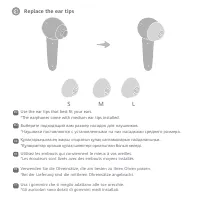


Содержание:
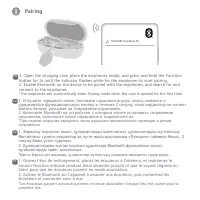
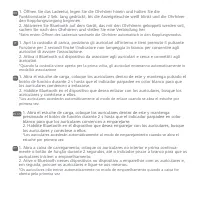
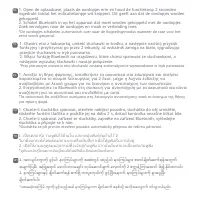
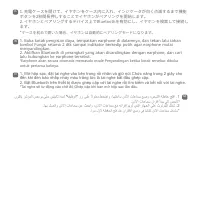
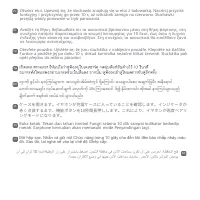
- стр. 4 – Pairing; connect to the earphones.
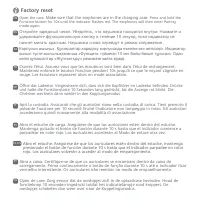
- стр. 8 – Factory reset; Make sure that the earphones are in the charging case.; rouge. Les écouteurs repassent alors en mode association.
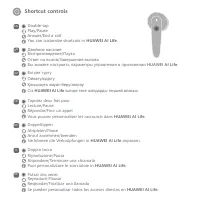
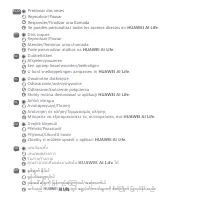
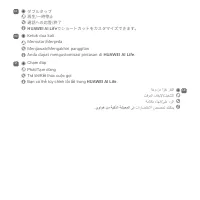
- стр. 10 – Shortcut controls; You can customize shortcuts in; AI Life; Двойное касание; ішінде төте жолдарды теңшей аласыз.
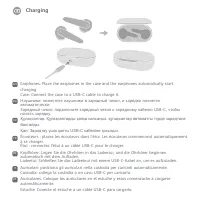
- стр. 15 – Charging; automatisch mit dem Aufladen.
Earphone model: T0010
Charging case model: T0010C
Quick Start Guide
Guide de démarrage rapide
Schnellstartanleitung
Stručný návod k obsluze
Οδηγός γρήγορης έναρξης
Instrukcja obsługi
Snelstartgids
Guia de Início Rápido
Guía de inicio rápido
Guida di avvio rapido
クイックスタートガイド
ﻊﯾرﺳﻟا لﯾﻐﺷﺗﻟا لﯾﻟد
အြမန် စတင်ရန် လမ်းွှန်
คู่มือการใช้งานด่วน
Краткое руководство пользователя
Қ
ыс
қ
аша пайдалану н
ұ
с
қ
аулы
ғ
ы
Panduan Mulai Cepat
Hướng Dẫn Khởi Động Nhanh
Guía de inicio rápido
FreeBuds SE
Сводка
Pairing EN 1. Open the charging case, place the earphones inside, and press and hold the Function button for 2s until the indicator flashes white for the earphones to start pairing. 2. Enable Bluetooth on the device to be paired with the earphones, and search for and connect to the earphones. *The ea...
Factory reset Open the case. Make sure that the earphones are in the charging case. Press and hold the Function button for 10s until the indicator flashes red. The earphones will then enter Pairing mode again. EN Ouvrez l'étui. Assurez-vous que les écouteurs sont bien dans l'étui de rechargement. Mai...
Shortcut controls Reproducir/Pausar Responder/Finalizar una llamada Se pueden personalizar todos los accesos directos en HUAWEI AI Life . ES Riproduzione/Pausa Rispondere/Terminare una chiamata Puoi personalizzare le scorciatoie in HUAWEI AI Life . IT Lecture/Pause Répondre/Finir un appel Vous pouve...


