MAD-CATZ S.T.R.I.K.E.7 инструкция по эксплуатации
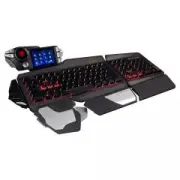
Инструкция по эксплуатации на русском языке предназначена для владельцев MAD-CATZ S.T.R.I.K.E.7. В PDF-документе подробно описаны особенности устройства, его функции и основные правила эксплуатации. Перед тем как начать пользоваться техникой, рекомендуем внимательно ознакомиться с содержанием руководства.
Наш проект MaxPoints позволяет изучать инструкцию без использования какого-либо дополнительного программного обеспечения. С PDF-версией документа вы можете ознакомиться ниже, воспользовавшись постраничной навигацией или оглавлением.

Содержание:
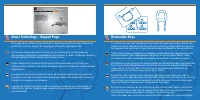
- стр. 2 – Programmable Buttons
- стр. 3 – Smart Technology – Programming Page
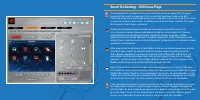
- стр. 4 – Smart Technology – Edit Icons Page
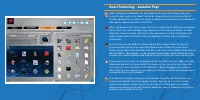
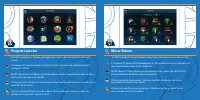
- стр. 5 – Smart Technology - Launcher Page
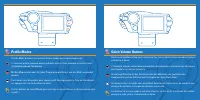
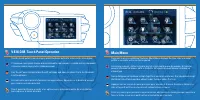
- стр. 8 – Profile Modes; Quick Volume Buttons
- стр. 9 – Main Menu
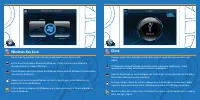
- стр. 11 – Windows Key Lock; Clock
- стр. 12 – Stopwatch; Countdown Timers
- стр. 13 – Media Buttons; Volume
- стр. 14 – Backlighting; Settings
- стр. 15 – Journal
- стр. 16 – TeamSpeak
USER MANUAL
BEDIENUNGSANLEITUNG
GUIDE D’UTILISATION
MANUALE D’USO
MANUAL DEL USUARIO
Была ли эта инструкция полезной?
Об этой инструкции
- Бренд
- MAD-CATZ
- Модель
- S.T.R.I.K.E.7
- Тип документа
- Инструкция по эксплуатации
- Категория
- Клавиатура
- Язык(и)
- Русский
- Страницы
- 17
- Размер файла
- 3 MB
- Формат
Сводка
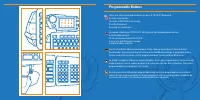
Programmable Buttons There are 24 programmable buttons on your S.T.R.I.K.E.7 Keyboard: 4 on the side module 12 on the V.E.N.O.M. touchscreen 3 on the thumb rest 5 around the arrow keys На вашей клавиатуре S.T.R.I.K.E.7 доступны 24 программируемые кнопки: 4 на боковом модуле; 12 на сенсорном экране V...
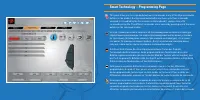
Smart Technology – Programming Page This page allows you to assign keyboard macro commands to any of the 24 programmable buttons on the product. Each programmable button can have up to three commands assigned to it (enabled by the three modes on the keyboard) ), giving a total of 72 commands per pro...
Smart Technology – Edit Icons Page Each programmed command on the screen can have an icon assigned to it. This page shows you the current assignments to the screen that have been made on the Edit Commands page. Click a command on the screen, and then click an icon from the list. Click assign icon to...
