Panasonic RX-ES22 инструкция

Инструкция на русском языке предназначена для владельцев Panasonic RX-ES22. В PDF-документе подробно описаны особенности устройства, его функции и основные правила эксплуатации. Перед тем как начать пользоваться техникой, рекомендуем внимательно ознакомиться с содержанием руководства.
Наш проект MaxPoints позволяет изучать инструкцию без использования какого-либо дополнительного программного обеспечения. С PDF-версией документа вы можете ознакомиться ниже, воспользовавшись постраничной навигацией или оглавлением.


Содержание:
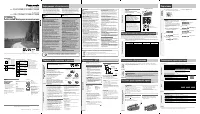
- стр. 1 – N o t e o n A C p o w e r s u p p l y c o r d ( F o r S a u d i A r a b i a a n d K u w a i t o n l y ); ...dONB« ¡UDž
- стр. 2 – AM; AM
- стр. 3 – CDs; Plays to the end of the CD and stops.; CD selection; • use irregularly shaped CDs (; adhesive exuding from under labels and stickers. (
- стр. 4 – To protect tapes against further recording; Erasure prevention; DECK] to open the deck and insert the cassette with; the side to be erased facing up.; Recording CDs; Normal recording; • Wind on the leader tape.; Cd; To stop recording; Press again to resume recording.; To record selected tracks; Do step; To skip unwanted tracks; you want to record is displayed.
- стр. 5 – ¡UMž; ©¡UG≈®
- стр. 6 – wKô« ÷dF«
2
RQT6279
Thank you for purchasing this product.
For optimum performance and safety, please read these instructions
carefully.
Dear Customer
Table of Contents
Supplied Accessories .......................................................... 4
Precautions ......................................................................... 4
Use of Batteries .................................................................. 4
Power Sources .................................................................... 6
Memory Batteries ................................................................ 6
Location of Controls ............................................................ 8
The Remote Control .......................................................... 10
Setting the Clock ............................................................... 12
Using Headphones ........................................................... 12
Maintenance ..................................................................... 12
The Radio .......................................................................... 14
CDs ................................................................................... 18
Cassettes .......................................................................... 24
Tips on Recording ............................................................. 24
Recording CDs .................................................................. 26
Recording the Radio ......................................................... 30
Sound Quality ................................................................... 32
3-D sound with the Sound Virtualizer ................................ 32
The Play and Record Timer .............................................. 34
The Sleep Timer ................................................................ 36
The Timer Fader ................................................................ 36
Troubleshooting ................................................................ 38
Technical Specifications .................................................... 38
Dear Customer
CAUTION!
THIS PRODUCT UTILIZES A LASER.
U S E O F C O N T R O L S O R A D J U S T M E N T S O R
PERFORMANCE OF PROCEDURES OTHER THAN THOSE
SPECIFIED HEREIN MAY RESULT IN HAZARDOUS
RADIATION EXPOSURE.
D O N O T O P E N C O V E R S A N D D O N O T R E P A I R
Y O U R S E L F . R E F E R S E R V I C I N G T O Q U A L I F I E D
PERSONNEL.
WARNING:
TO REDUCE THE RISK OF FIRE, ELECTRIC SHOCK OR
PRODUCT DAMAGE, DO NOT EXPOSE THIS APPARATUS
TO RAIN, MOISTURE, DRIPPING OR SPLASHING AND
THAT NO OBJECTS FILLED WITH LIQUIDS, SUCH AS
VASES, SHALL BE PLACED ON THE APPARATUS.
Inside of product
!
This product may receive radio interference caused by mobile
telephones during use. If such interference is apparent, please
increase separation between the product and the mobile
telephone.
Z²M*« qš«œ
CAUTION:
Change the voltage setting to suit the AC voltage in your
area. See page 6. Note that the unit will be seriously
damaged or fail to operate correctly if this setting is not
made correctly.
N o t e o n A C p o w e r s u p p l y c o r d ( F o r S a u d i A r a b i a a n d K u w a i t o n l y )
Before use
Remove the connector cover.
How to replace the fuse
The location of the fuse differ according to the type of AC mains
plug (figures A and B). Confirm the AC mains plug fitted and
follow the instructions below.
Illustrations may differ from actual AC mains plug.
!"#$%&'()*+,-./0123456789
!
!"#$%
!"#$%
!"#$%
=
AC
=
!"#$%&'()*
=
A
B
!"
=
AC
!"#$%&'()*+,-./012
!"#$%
=
AC
!"#$%&'
Fuse cover
Fuse (5 ampere)
!"
1. Open the fuse cover with a screwdriver.
2. Replace the fuse and close or attach the fuse cover.
!"#$%&'()* !"+,-
!"#$%&'()*+
Figure A
=^
Figure B
=_
Figure A
=^
Figure B
=_
T H I S U N I T I S I N T E N D E D F O R U S E I N T R O P I C A L
CLIMATES.
!
5
Fuse (5 ampere)
!
5
ÆqÝu*« ¡UDž ‰“√
«b²Ýô« q³
«b²Ýô« q³
«b²Ýô« q³
«b²Ýô« q³
«b²Ýô« q³
…d³NB« ‰«b³²Ý« WOIO"
…d³NB« ‰«b³²Ý« WOIO"
…d³NB« ‰«b³²Ý« WOIO"
…d³NB« ‰«b³²Ý« WOIO"
…d³NB« ‰«b³²Ý« WOIO"
qJý
qJý
qJý
qJý
qJý
A
qJý
qJý
qJý
qJý
qJý
B
qJý
qJý
qJý
qJý
qJý
A
qJý
qJý
qJý
qJý
qJý
B
…dONB« ¡UDž
…dONB«
©dO³-« µ®
…dONB«
©dO³-« µ®
WOÐdF« WJKLLK® œœd²*« —UO²« eON& qÐU" ’uBÐ WCŠö-
©jI5 X¹uJ«Ë W¹œuFF«
ÆWO³uK« dO-UF*« pH- WDÝ«u¹…dONB« ¡UDž `²5≈
qJý® œœd²*« —UO²« fÐU ·ö²šSÐ …dONB« lu- nK²¹
A
qJýË
B
wFOzd« œœd²*« —UO²« fÐU WLzö- s- oI% Æ©
ÆÁU½œ√ «œUý—ù« l³ð≈Ë
ÆUNzUDž Xý Ë√ ‚Už≈Ë …dONB« ‰b³²Ý≈
RQT6279_2G (Cv_3)
30/1/04, 9:30 AM
2
Была ли эта инструкция полезной?
Об этой инструкции
- Бренд
- Panasonic
- Модель
- RX-ES22
- Тип документа
- Инструкция
- Категория
- Магнитола
- Язык(и)
- Английский, Русский
- Размер файла
- 6,4 MB
- Формат
Panasonic RX-ES22 - другие типы инструкций:
Сводка
2 RQT6279 Thank you for purchasing this product.For optimum performance and safety, please read these instructionscarefully. Dear Customer Table of Contents Supplied Accessories .......................................................... 4Precautions .....................................................
15 RQT6279 ∫dOCײ« ∫dOCײ« ∫dOCײ« ∫dOCײ« ∫dOCײ« —e« jG{« © U¹—UDÐ ‰ULF²Ý« bMŽ® ] .[ /I W¹œUF« WH«u*« W¹œUF« WH«u*« W¹œUF« WH«u*« W¹œUF« WH«u*« W¹œUF« WH«u*« jG{≈ jG{≈ jG{≈ jG{≈ jG{≈ [TUNER BAND] —UO²šô —UO²šô —UO²šô —UO²šô —UO²šô “FM” Ë« Ë« Ë« Ë« Ë« “AM” Æ Æ Æ Æ Æ œœd² —UOð ‰ULF²Ý« bMŽ “UN'« qG²A...
18 RQT6279 7 2 7 3 7 1 TAPE ⁄ CD ○ ○ ○ ○ ○ ○ ○ ○ ○ ○ ○ ○ ○ ○ ○ ○ ○ ○ ○ ○ ○ ○ ○ ○ ○ ○ ○ ○ ○ ○ ○ ○ ○ ○ ○ ○ ○ ○ ○ ○ ○ ○ ○ ○ ○ ○ ○ ○ ○ ○ ○ ○ ○ ○ ○ ○ ○ ○ ○ ○ 7 2 ○ ○ ○ ○ ○ ○ ○ ○ ○ ○ ○ ○ ○ ○ ○ ○ ○ ○ ○ ○ ○ ○ ○ ○ ○ ○ ○ ○ ○ ○ 7 3 7 1 C D VOLUME 7 A ○ ○ ○ ○ ○ ○ ○ ○ ○ ○ ○ ○ ○ ○ ○ ○ ○ ○ ○ ○ ○ ○ ○ ○ ○ ○ ○ ○ ○ ○ ...
Задать вопрос
Похожие инструкции
Ещё модели: магнитолы Panasonic
 Panasonic CQ-VD5505W Инструкция по эксплуатации
 Panasonic CQ-VD6503W Инструкция по эксплуатации
 Panasonic RX-D27 Инструкция по эксплуатации
- Panasonic RX-D29 Инструкция по эксплуатации
 Panasonic RX-D50 Инструкция по эксплуатации
- Panasonic RX-D55 Инструкция по эксплуатации
 Panasonic RX-ES23 Инструкция по эксплуатации
 Panasonic RX-ES27 Инструкция
- Panasonic RX-ES29 Инструкция по эксплуатации
 Panasonic CQ-C1001NE Инструкция по эксплуатации
 Panasonic CQ-C1300AN (GN) Инструкция по эксплуатации
 Panasonic CQ-C1303NE Инструкция по эксплуатации
 Panasonic CQ-C1303W Инструкция по эксплуатации
 Panasonic CQ-C1305W Инструкция по эксплуатации
 Panasonic CQ-C1313NE Инструкция по эксплуатации
 Panasonic CQ-C1323NE Инструкция по эксплуатации
 Panasonic CQ-C1405N Инструкция по эксплуатации
 Panasonic CQ-C1415N Инструкция по эксплуатации
 Panasonic CQ-C1465N Инструкция по эксплуатации
 Panasonic CQ-C1475N Инструкция по эксплуатации