Sven RX-G940W инструкция по эксплуатации

Инструкция по эксплуатации на русском языке предназначена для владельцев Sven RX-G940W. В PDF-документе подробно описаны особенности устройства, его функции и основные правила эксплуатации. Перед тем как начать пользоваться техникой, рекомендуем внимательно ознакомиться с содержанием руководства.
Наш проект MaxPoints позволяет изучать инструкцию без использования какого-либо дополнительного программного обеспечения. С PDF-версией документа вы можете ознакомиться ниже, воспользовавшись постраничной навигацией или оглавлением.
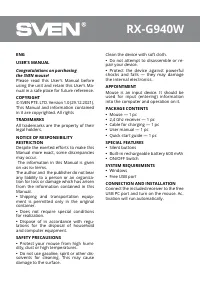
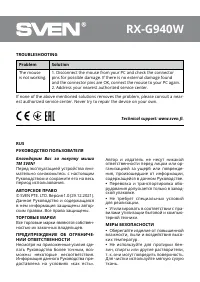
RX-G940W
ENG
USER’S MANUAL
Congratulations on purchasing
the SVEN mouse!
Please read this User’s Manual before
using the unit and retain this User’s Ma-
nual in a safe place for future reference.
COPYRIGHT
© SVEN PTE. LTD. Version 1.0 (29.12.2021).
This Manual and information contained
in it are copyrighted. All rights
TRADEMARKS
All trademarks are the property of their
legal holders.
NOTICE OF RESPONSIBILITY
RESTRICTION
Despite the exerted efforts to make this
Manual more exact, some discrepancies
may occur.
The information in this Manual is given
on «as is» terms.
The author and the publisher do not bear
any liability to a person or an organiza
-
tion for loss or damage which has arisen
from the information contained in this
Manual.
•
Shipping and transportation equip-
ment is permitted only in the original
container.
•
Does not require special conditions
for realization.
•
Dispose of in accordance with regu-
lations for the disposal of household
and computer equipment.
SAFETY PRECAUSIONS
•
Protect your mouse from high humi-
dity, dust or high temperatures.
•
Do not use gasoline, spirit or other dis-
solvents for cleaning. This may cause
damage to the surface.
Clean the device with soft cloth.
•
Do not attempt to disassemble or re-
pair your device.
•
Protect the device against powerful
shocks and falls — they may damage
the internal electronics.
APPOINTMENT
Mouse is an input device. It should be
used for input (entering) information
into the computer and operation on it.
PACKAGE CONTENTS
•
Mouse — 1 pc
•
2,4 Ghz receiver — 1 pc
•
Cable for charging — 1 pc
•
User manual — 1 pc
•
Quick start guide — 1 pc
SPECIAL FEATURES
•
Silent buttons
•
Built-in rechargeable battery 600 mAh
•
ON/OFF Switch
SYSTEM REQUIREMENTS
•
Windows
•
Free USB port
CONNECTION AND INSTALLATION
Connect the included receiver to the free
USB PC port and turn on the mouse. Ac-
tivation will run automatically.
Была ли эта инструкция полезной?
Об этой инструкции
- Бренд
- Sven
- Модель
- RX-G940W
- Тип документа
- Инструкция по эксплуатации
- Категория
- Компьютерная мышь
- Язык(и)
- Русский
- Страницы
- 4
- Размер файла
- 89,6 KB
- Формат
Задать вопрос
Похожие инструкции
Ещё модели: компьютерные мыши Sven
 Sven RX-30 Инструкция по эксплуатации
 Sven RX-G740 Инструкция по эксплуатации
 Sven RX-G750 Инструкция по эксплуатации
 Sven RX-G815 Инструкция по эксплуатации
 Sven RX-G830 Инструкция по эксплуатации
 Sven RX-G850 Инструкция по эксплуатации
 Sven RX-G860 Инструкция по эксплуатации
 Sven RX-G890 Инструкция по эксплуатации
 Sven RX-G930W Инструкция по эксплуатации
 Sven RX-G970 Инструкция по эксплуатации
 Sven RX-G985 Инструкция по эксплуатации
Другая техника Sven
 Sven 120 Инструкция по эксплуатации
 Sven 130 Инструкция по эксплуатации
 Sven 135 Инструкция по эксплуатации
- Sven 150 Инструкция по эксплуатации
- Sven 170 Инструкция по эксплуатации
 Sven 185 Инструкция по эксплуатации
 Sven 210 Инструкция по эксплуатации
 Sven 230 Инструкция по эксплуатации
 Sven 235 Инструкция по эксплуатации