Netgear GS308PP 8xGE PoE инструкция по эксплуатации
Инструкция по эксплуатации на русском языке предназначена для владельцев Netgear GS308PP 8xGE PoE. В PDF-документе подробно описаны особенности устройства, его функции и основные правила эксплуатации. Перед тем как начать пользоваться техникой, рекомендуем внимательно ознакомиться с содержанием руководства.
Наш проект MaxPoints позволяет изучать инструкцию без использования какого-либо дополнительного программного обеспечения. С PDF-версией документа вы можете ознакомиться ниже, воспользовавшись постраничной навигацией или оглавлением.
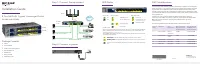
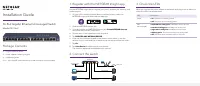
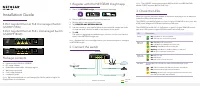
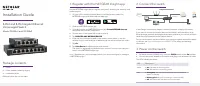
Installation Guide
5-Port and 8-Port Gigabit Ethernet
Unmanaged Switch
Model GS305v3 and GS308v3
Package contents
• Switch
• Power adapter (varies by region)
• Installation guide
Ethernet cables are not included.
1. Register with the NETGEAR Insight app
Use the NETGEAR Insight App to register your switch, activate your warranty, and
access support.
1. On your iOS or Android mobile device, visit the app store, search for
NETGEAR Insight, and download the latest app.
2. Open the NETGEAR Insight app.
3. If you did not set up a NETGEAR account, tap
Create NETGEAR Account
and follow the onscreen instructions.
4. Tap the menu in the upper left corner to open it.
5. Tap
REGISTER ANY NETGEAR DEVICE
.
6. Enter the serial number located on the bottom of the switch, or use the
camera on your mobile device or tablet to scan the serial number bar code.
7. Tap
Go
.
8. Tap
View Device
to add the switch to a network.
The switch is registered and added to your account. You can now view your
switch in the NETGEAR Insight app.
Note:
Because this is an unmanaged switch, you cannot configure or manage it
in NETGEAR Insight.
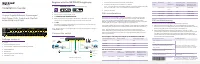
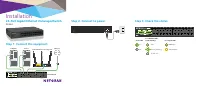
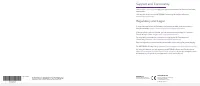
2. Connect the switch
In the Sample connections diagram, the entire network is deployed indoors.
If you want to connect an outdoor device to the switch, cable the switch to an
Ethernet surge protector that supports the same speeds as your switch, and then
cable the surge protector to the outdoor device.
Do not use this switch outdoors. Before connecting this switch to outdoor cables
or devices, see
https://kb.netgear.com/000057103
for safety and warranty
information.
3. Power on the switch
• For switch model GS308v3 only, move the
Off/On
switch to the
On
position.
• Connect the power adapter to the switch and plug it into an electrical outlet.
The LEDs indicate the status.
LED
Description
Power
• On
. The switch is receiving power.
• Off
. The switch is not receiving power.
Port
• Solid green
. The switch detected a link with a powered on
device on this port.
• Blinking green
. The port is sending or receiving traffic.
• Off
. The switch does not detect a link on this port.
Internet
Access Point
Router
GS305v3
Sample connections