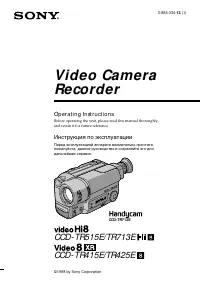
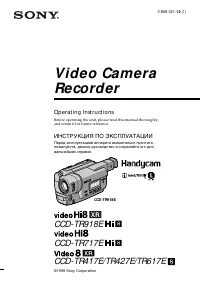
стр. 2 - En g l i sh; Vision; W ARNING; Русский; ПРЕДУПРЕЖДЕНИЕ
2 En g l i sh We l co m e ! Congratulations on your purchase of this SonyHandycam Vision camcorder. With your Handycam Vision you can capture life’s preciousmoments with superior picture and soundquality.Your Handycam Vision is loaded with advancedfeatures, but at the same time it is very easy tou...
стр. 3 - Ta b l e o f co n t e n t s
3 B efore you begin / Перед началом эксплуатации Ta b l e o f co n t e n t s Bef ore you begin Using this manual 4Checking supplied accessories 6 Get t ing st art ed Charging and installing the battery pack 7Inserting a cassette 12 Basic operat ions Camera recording 13 Using the zoom feature 16Selec...
стр. 4 - Be f o r e y o u b e g i n; Usi n g t h i s m a n u a l; N o t e o n Ca sse t t e M e m o r y; Использование данного руководства; Примечание к кассете с памятью
4 Be f o r e y o u b e g i n Usi n g t h i s m a n u a l As you read through this manual, buttons andsettings on the camcorder are shown in capitalletters.e.g., Set the POWER switch to CAMERA.As indicated with in the illustrations, you canhear the beep sound to confirm your operation. N o t e o n Ca...
стр. 5 - Pr e ca u t i o n s o n ca m co r d e r ca r e; • Do not let the camcorder get wet. Keep the
5 B efore you begin / Перед началом эксплуатации Pr e ca u t i o n s o n ca m co r d e r ca r e • The LCD screen and/ or t he colour view f inderare manuf act ured using high-precisiont echnology. How ever, t here may be somet iny black point s and/ or bright point s (red,blue or green in colour) t ...
стр. 7 - Ch a r g i n g t h e b a t t e r y p a ck; Connect the mains lead to mains.; normal; Ge t t i n g st a r t e d; Зарядка батарейного блока; с затвором; нормальная зарядка завершена; , которая позволяет Вам; Подготовка к эксплуатации
7 G etting s tarted / Подготовка к эксплуатации Before using your camcorder, you first need tocharge and install the battery pack. To chargethe battery pack, use the supplied AC poweradaptor. Ch a r g i n g t h e b a t t e r y p a ck Charge the battery pack on a flat surface withoutvibration. (1 ) C...
стр. 8 - Ch a r g i n g t i m e; ti; Ba t t e r y l i f e; W hile using w it h view f inder; Время зарядки
8 Ch a r g i n g t i m e B a t t e r y p a c k C h a r g i n g ti me * NP-F330 (supplied) 130 (70) NP-F530 170 (110) NP-F550 180 (120) NP-F730 250 (190) NP-F750 270 (210) NP-F930 330 (270) NP-F950 360 (300) The time required for a normal charge isindicated in parentheses.* Approximate minutes to cha...
стр. 9 - W hile using w it h LCD; • Remaining battery time is displayed in the
9 G etting s tarted / Подготовка к эксплуатации W hile using w it h LCD Bat t ery Cont inuous Typical Playing pack recording recording t im e time ** time *** w i t h L C D NP-F330 60 (55) 30 (30) 60 (55) (supplied) NP-F530 100 (85) 55 (45) 100 (85) NP-F550 125 (110) 70 (60) 125 (110) NP-F730 215 (1...
стр. 10 - To r e m o v e t h e b a t t e r y p a ck; Not es on charging t he bat t ery pack; I n st a l l i n g t h e b a t t e r y p a ck; Для снятия батарейного блока; Примечания к зарядке батарейного блока; Установка батарейного блока; Поднимите видоискатель вверх.
10 Ch a r g i n g a n d i n st a l l i n g t h eb a t t e r y p a ck 1 To r e m o v e t h e b a t t e r y p a ck Slide the battery pack in the direction of thearrow. Not es on charging t he bat t ery pack • The CHARGE lamp will remain lit for a while even if the battery pack is removed and themains ...
стр. 11 - BATT; Not e on t he bat t ery pack; To r e m o v e t h e b a t t e r y p a ck [ b ]; Примечание к батарейному блоку; Aдаптеру видоискателя
11 G etting s tarted / Подготовка к эксплуатации BATT Not e on inst alling t he NP-F730/ F750 bat t erypack Use the camcoder while stretching out theviewfinder. Be careful not to catch your finger inwhen you fold the viewfinder back to the originalposition. Not e on inst alling t he NP-F930/ F950 ba...
стр. 12 - Not es; To e j e ct t h e ca sse t t e; I n se r t i n g a ca sse t t e; Пpимeчание; Для выталкивания кассеты; Вставка кассеты
12 You can use mini DV cassette with logo* only.Make sure that the power source is installed. (1) Slide EJECT in the direction of the arrow. Thecassette lid opens, then the cassettecompartment opens automatically. (2) Insert a cassette with the window facing outinto the cassette compartment. (3) Clo...
стр. 13 - Ba si c o p e r a t i o n s; Ca m e ra re co rd i n g; Основные операции; Запись с помощью видеокамеры
13 B asic operat ions / Основные операции Ba si c o p e r a t i o n s Ca m e ra re co rd i n g Make sure that the power source is installed anda cassette is inserted and that the START/STOPMODE switch inside the LCD panel is set to . Before you record one-time events, you maywant to make a trial rec...
стр. 14 - Not e on St andby mode; Ca m e r a r e co r d i n g; Для временной остановки записи; Примечание к режиму готовности
14 To st o p r e co r d i n g m o m e n t a r i l y [ a ] Press START/STOP. The “STBY” indicatorappears in the viewfinder ( St a n d b y m o d e ) . To f i n i sh r e co r d i n g [ b ] Press START/STOP again to stop recording. Setthe POWER switch to OFF. Then, eject thecassette and remove the batte...
стр. 15 - Not e on Recording mode
15 B asic operat ions / Основные операции Ca m e r a r e co r d i n g Not e on Recording mode This camcorder records and plays back in SP(standard play) mode and in LP (long play)mode. Select SP or LP in the menu system. In LPmode, you can record 1.5 times as long as in SPmode. Not es on LP mode •We...
стр. 16 - Not e on remaining t ape indicat or; Usi n g t h e zo o m f e a t u r e; Примечание к индикаци оставшейся ленты; Сторона “
16 Ca m e r a r e co r d i n g Not e on remaining t ape indicat or The indicator may not be displayed accuratelydepending on the tape. Though the indicatordoes not appear at the time of recording, it willappear in a few seconds. Usi n g t h e zo o m f e a t u r e Zooming is a recording technique tha...
стр. 17 - Not es on digit al zoom; Правая сторона
17 B asic operat ions / Основные операции Ca m e r a r e co r d i n g Not es on digit al zoom • More than 15x zoom is performed digitally, and the picture quality deteriorates as you gotoward the “T” side. If you do not want to usethe digital zoom, set the D ZOOM function toOFF in the menu system. •...
стр. 18 - Se l e ct i n g t h e st a r t /st o p m o d e; :Recording starts when you press; If you selected; :Запись начинается когда Вы; ANTI GROUND SHOOTING; Если Вы выбрали
18 Ca m e r a r e co r d i n g Se l e ct i n g t h e st a r t /st o p m o d e Your camcorder has two modes besides normalstart/stop mode. These modes enable you totake a series of quick shots resulting in a livelyvideo. (1) Slide OPEN in the direction of the arrow andopen the LCD panel. (2) Set STAR...
стр. 19 - Not e on 5SEC recording; Sh o o t i n g w i t h t h e LCD scr e e n; Примечание к записи 5SEC
19 B asic operat ions / Основные операции To e x t e n d t h e r e co r d i n g t i m e i n 5 SECm o d e Press START/STOP again before all the dotsdisappear. Recording continues for about 5seconds from the moment you press START/STOP. Not e on 5SEC recording If you have turned off the indicators on ...
стр. 20 - Not es on t he LCD panel
20 Ca m e r a r e co r d i n g Not es on t he LCD panel • When closing the LCD panel, turn it vertically until it clicks [ a ] . • When turning the LCD panel, turn it always vertically; otherwise, the camcorder body maybe damaged or the LCD panel may not closeproperly [ b ] . • Close the LCD panel c...
стр. 21 - indicator; To cancel mirror mode; появится; Для отмены зеркального режима
21 B asic operat ions / Основные операции Le t t i n g t h e su b j e ct m o n i t o r t h esh o t You can turn the LCD panel over so that it facesthe other way and you can let the subject monitorthe shot while shooting with the viewfinder. Turn the LCD panel up vertically. When youturn the LCD pane...
стр. 22 - Not es on mirror mode; Примечания к зеркальному режиму; Pr
22 Not es on mirror mode • When you turn the LCD panel about 90 degrees to 180 degrees, the camcorder enters mirrormode. • Using the mirror mode, you can record yourself while watching yourself on the LCD. • The picture on the LCD looks like a mirror- image while recording in mirror mode. TheSTBY in...
стр. 23 - • You can also record in a low position to get an
23 B asic operat ions / Основные операции Hi n t s f o r b e t t e rsh o o t i n g For hand-held shots, you will get better resultsby holding the camcorder according to thefollowing suggestions:•Hold the camcorder firmly and secure it with the grip strap so that you can easily manipulatethe controls...
стр. 24 - Hi n t s f o r b e t t e r sh o o t i n g; • Не распологайте видеокамеру так, чтобы
24 Place t he camcorder on a f lat surf ace or use at ripod Try placing the camcorder on a table top or anyother flat surface of suitable height. If you have atripod for a still camera, you can also use it withthe camcorder. When attaching a non-Sonytripod, make sure that the length of the tripodscr...
стр. 25 - Press the –; To st o p p l a y b a ck; END SEARCH; На мгновение нажмите сторону –; Для остановки воспроизведения; Отпустите EDITSEARCH.; Снова для начала записи
25 B asic operat ions / Основные операции Using the EDITSEARCH, you can review the lastrecorded scene or check the recorded picture onthe LCD screen or in the viewfinder. ( 1 ) While pressing the small green button on thePOWER switch, set it to CAMERA. ( 2 ) Press the – Œ side of EDITSEARCH momentar...
стр. 26 - Pl a y i n g b a ck a t a p e; To rew ind t he t ape,; Usi n g t h e Re m o t e Co m m a n d e r
26 Pl a y i n g b a ck a t a p e You can monitor the playback picture on theLCD screen or in the viewfinder. (1) Insert the recorded tape with the windowfacing out. (2) Slide OPEN in the direction of the arrow andopen the LCD panel. (3) While pressing the small green button on thePOWER switch, set i...
стр. 27 - Not es on screen indicat ors; V a r i o u s p l a y b a ck m o d e s; To l o ca t e a sce n e ( p i ct u r e se a r ch ); Воспроизведение ленты; Примечания к экранным индикаторам
27 B asic operat ions / Основные операции Pl a y i n g b a ck a t a p e To display t he LCD screen/ view f inder screenindicat ors Press DISPLAY.To erase the indicators, press again. Not es on screen indicat ors • The screen indicator disappears when the title is displayed. • When you play back a ta...
стр. 28 - Not es on playback; Примечания к воспроизведению; Примечание к замедленному воспроизведению
28 To v i e w t h e p i ct u r e a t 1 /3 sp e e d( sl o w p l a y b a ck ) Press & on the Remote Commander during playback. For slow playback in reverse direction,press < , then press & . To resume normal playback, press · . To v i e w t h e p i ct u r e a t d o u b l e sp e e d For doub...
стр. 29 - u re; Not es on End Search; • When you use a tape without cassette memory,; Примечания к поиску конца изображения
29 B asic operat ions / Основные операции Se a rch i n g fo r t h e e n do f t h e p i ct u re You can go to the end of the recorded portionafter you record and play back the tape. The tapestarts rewinding or fast-forwarding and the lastabout 5 seconds of the recorded portion playsback. Then the tap...
стр. 33 - TITLEERASE; Ch a n g i n g t h e m o d e se t t i n g s
33 Advanc ed operat ions / Усовершенствованные операции Se l e ct i n g t h e m o d e se t t i n g o fe a ch i t e m I t e m s f o r b o t h CA M ERA a n d V TRm o d e s COM M ANDER* <ON/ OFF> • Select ON when using the supplied Remote Commander for the camcorder. • Select OFF when not using t...
стр. 34 - I t e m s f o r CA M ERA m o d e o n l y; camcorder goes back to 15x optical zoom.; CLOCK SET; Select this item to reset the date or time.
34 DISPLAY <LCD or V-OUT/ LCD> • Normally select LCD.• Select V-OUT/LCD to display indicator both on the LCD panel and TV screen. AUTO TV ON <ON/ OFF> You can use this feature only with Sony TVs.• Select ON to turn on the TV automatically when using the LASER LINK function. • Select OFF ...
стр. 35 - Not es on DEM O M ODE; I t e m s f o r V TR m o d e o n l y; TAPE TITLE; Установки только для режима VTR; • Выберите STEREO для воспроизведения
35 Advanc ed operat ions / Усовершенствованные операции Ch a n g i n g t h e m o d e se t t i n g s DEM O M ODE <STBY/ ON or OFF> • Select STBY/ON to glance over the function of camcorder. • Select OFF not to display demonstration. Not es on DEM O M ODE • DEMO MODE is set to STBY (Standby)/ ON...
стр. 39 - To cancel t he f ader f unct ion; – The START/STOP MODE switch is set; or; Usi n g t h e FA D ER f u n ct i o n
39 Advanc ed operat ions / Усовершенствованные операции To cancel t he f ader f unct ion Before pressing START/STOP, press FADERuntil the fade indicator disappears. You cannot use t he f ader f unct ion in t hef ollow ing sit uat ions – The START/STOP MODE switch is set to ANTI GROUND SHOOTING or 5S...
стр. 40 - Not es on t he Night Shot; Для отмены функции ночной съемки; Примечания
40 Sh o o t i n g i n t h e d a r k( N i g h t Sh o t ) The NightShot function enables you to shoot asubject in a dark place. You can achieve asatisfactory recording of the ecology of nocturnalanimals for observation with this function.This function may record picture nearly inmonochrome. (1) While ...
стр. 41 - Ph o to re co rd i n g; Запись фотографий
41 Advanc ed operat ions / Усовершенствованные операции Ph o to re co rd i n g You can record a still picture like a photographfor about seven seconds. This photo recording isuseful when you want to enjoy a picture such asa photograph or when you print a picture using avideo printer (not supplied). ...
стр. 45 - Not es on f ocus set t ing; • In the Spotlight, Sports lesson and Beach & Ski; Not e on shut t er speed
45 Advanc ed operat ions / Усовершенствованные операции Not es on f ocus set t ing • In the Spotlight, Sports lesson and Beach & Ski modes, you cannot take close-ups because thecamcorder is set to focus only on subjects in themiddle to far distance. • In the Sunset & Moon and Landscape modes...
стр. 46 - Fo cu si n g m a n u a l l y; W h e n t o u se m a n u a l f o cu s; • Insufficient light; Ручная фокусировка
46 Fo cu si n g m a n u a l l y W h e n t o u se m a n u a l f o cu s In the following cases you should obtain betterresults by adjusting the focus manually. • Insufficient light [ a ] • Subjects with little contrast — walls, sky, etc. [ b ] • Too much brightness behind the subject [ c] • Horizontal...
стр. 48 - Se l e ct i n g p i ct u r e e f f e ct; Выбор эффекта изображения; SEPIA
48 En j oy i n g p i ctu ree ff e ct Se l e ct i n g p i ct u r e e f f e ct You can make pictures like those of televisionwith the Picture Effect function. PA STEL [ a ] The picture is in pastel tones. N EG. A RT [ b ] The colour of the picture is reversed. SEPIA The picture is sepia. B& W The ...
стр. 49 - En j o y i n g p i ct u r e e f f e ct; Usi n g p i ct u r e e f f e ct f u n ct i o n; To r e t u r n t o n o r m a l m o d e; Not e on t he pict ure ef f ect; Для возврата к нормальному режиму
49 Advanc ed operat ions / Усовершенствованные операции En j o y i n g p i ct u r e e f f e ct Usi n g p i ct u r e e f f e ct f u n ct i o n (1) While in Standby mode, press PICTUREEFFECT. (2) Turn the CONTROL dial to select the desiredpicture effect mode. To r e t u r n t o n o r m a l m o d e Pre...
стр. 53 - W h i l e i n St a n d b y m o d e; W hen you have st ored an original t it le; В режиме готовнсоти
53 Advanc ed operat ions / Усовершенствованные операции W h i l e y o u a r e p l a y i n g b a ck , p a u si n g ,o r r e co r d i n g After step 6, “SAVE” appears on the screen for 5seconds and the title is set. W h i l e i n St a n d b y m o d e After step 6, the “TITLE” indicator appears. Andwhe...
стр. 59 - In step 5 turn the CONTROL dial to select [; To ch a n g e t h e l a b e l y o u h a v e m a d e
59 Advanc ed operat ions / Усовершенствованные операции To e r a se a ch a r a ct e r In step 5 turn the CONTROL dial to select [ M ], then press the CONTROL dial. The last characteris erased. To ch a n g e t h e l a b e l y o u h a v e m a d e Insert the cassette to change the label, andoperate in ...
стр. 63 - Передача сигнала
63 Advanc ed operat ions / Усовершенствованные операции Connect the camcorder to your VCR or TV towatch the playback picture on the TV screen.When monitoring the playback picture byconnecting the camcorder to your TV, werecommend you to use mains for the powersource. Co n n e ct i n g d i r e ct l y...
стр. 64 - If your VCR or TV is a monaural t ype; LA SER LI N K; LASER LINK mark; To cancel t he LASER LINK f unct ion; W a t ch i n g o n a TV scr e e n; LASER LINK; LASER LINK, к Вашему; Для воспроизведения на телевизоре; Нажмите; Для отмены функции LASER LINK
64 If your VCR or TV is a monaural t ype Connect only the white plug for audio on boththe camcorder and the VCR or the TV. If youconnect the white plug, the sound is L (left)signal. If you connect the red plug, the sound isR (right) signal. Usi n g t h e A V co r d l e ss I Rr e ce i v e r LA SER ...
стр. 65 - If you use a Sony TV
65 Advanc ed operat ions / Усовершенствованные операции W a t ch i n g o n a TV scr e e n If you use a Sony TV • You can turn on the TV automatically when you press LASER LINK or · . To do so, set AUTO TV ON to ON in the menu system andturn the TV’s main switch on , then do either ofthe following; –...
стр. 67 - To st op searching; Press; • The interval of the boundaries between the; Для остановки поиска
67 Advanc ed operat ions / Усовершенствованные операции Se a r ch i n g t h e b o u n d a r i e s o fr e co r d e d t a p e w i t h d a t e– d a t e se a r ch To st op searching Press p . Not es • The interval of the boundaries between the dates needs more than two minutes. Thecamcorder may not sear...
стр. 69 - Прекращение поиска; Поиск границ на записанной
69 Advanc ed operat ions / Усовершенствованные операции Se a rch i n g t h e b o u n d a r i e so f re co rd e d t a p e w i t ht i t l e – t i t l e se a rch You can search for the boundaries of recordedtape with title – Title Search function. If you usea tape with cassette memory, you can select t...
стр. 71 - • Without using cassette memory.; • You cannot superimpose or search a title, if you
71 Advanc ed operat ions / Усовершенствованные операции Se a rch i n g f o r a p h o t o– p h o t o se a rch /p h o t osca n You can search for the recorded still picture –Photo Search function. There are two modes inPhoto Search:• Using cassette memory, you can select the recorded date which is dis...
стр. 72 - Нажмите MENU для отображения меню.
72 Se a r ch i n g f o r a p h o t o b y u si n gca sse t t e m e m o r y – p h o t o se a r ch You can use this function only when playingback a tape with cassette memory (p.88). (1) Set the POWER switch to VTR. (2) Press MENU to display the menu. (3) Turn the CONTROL dial to select CMSEARCH, then ...
стр. 75 - Sca n n i n g p h o t o – p h o t o sca n; Set the POWER switch to VTR.
75 Advanc ed operat ions / Усовершенствованные операции Sca n n i n g p h o t o – p h o t o sca n You can use this function whether the tape hascassette memory or not. (1) Set the POWER switch to VTR. (2) Press SEARCH MODE on the RemoteCommander repeatedly until the photo scanindicator displayed on ...
стр. 76 - Примечание к счетчику ленты
76 Using the Remote Commander, you can easily goback to the desired point on a tape afterplayback. (1) During playback, press ZERO SET MEMORYat the point you later want to locate. Thecounter shows “0:00:00” and “ZERO SETMEMORY” appears on the LCD screen or inthe viewfinder. (2) Press p when you want...
стр. 77 - To se l e ct t h e i t e m s t o b e d i sp l a y e d; Для выбора элементов отображения; различные; Если появлются черточки
77 Advanc ed operat ions / Усовершенствованные операции You can display recording data (date/time orvarious settings when recorded) on the LCDscreen or in the viewfinder during playback(Data Code). The Data Code is also displayed onthe TV. Press DATA CODE during playback. To se l e ct t h e i t e m ...
стр. 78 - Betamax VCR that; Be f o r e e d i t i n g; Usi n g t h e D V co n n e ct i n g ca b l e; DV IN; Перед монтажем
78 Ed i t i n g o n t o a n o t h e rt a p e You can create your own video programme byediting with any other DV, mini DV, h 8 m m , H H i 8 , j V H S , k S - V H S , VHSC, K S-VHSC or l Betamax VCR that has audio/video inputs. You can edit with littledeterioration of picture and sound quality whe...
стр. 79 - Ed i t i n g o n t o a n o t h e r t a p e; TV; или; Монтаж на другую ленту
79 Advanc ed operat ions / Усовершенствованные операции Not es on edit ing w hen using t he DVconnect ing cable • You can connect one VCR only.• You can record picture, sound and system data at the same time on the DV products by usingthe DV connecting cable only. • You cannot edit the titles, displ...
стр. 80 - St a r t i n g e d i t i n g; To e d i t m o r e sce n e s; Начните монтаж; Для монтажа других сцен
80 Ed i t i n g o n t o a n o t h e r t a p e Not es on edit ing w hen using t he A/ Vconnect ing cable • Press DATA CODE , SEARCH MODE, or DISPLAY to turn off the display indicators.Otherwise, the indicators will be recorded onthe tape. • If your TV or VCR is a monaural type, connect the yellow plu...
стр. 81 - Press REC
81 Advanc ed operat ions / Усовершенствованные операции Re co rd i n g f ro m a V CRo r TV You can record a tape from another VCR or a TVprogram from a TV that has audio/videooutputs. Connect the camcorder to the VCR orTV. (1 ) While pressing the small green button on thePOWER switch, set it to VTR ...
стр. 82 - Re co r d i n g f r o m a V CR o r TV; Not e on using t he S video connect ing cable; To st o p r e co r d i n g; Запись с КВМ или телевизора; Примечание к записываемому звуку; Для остановки записи
82 Re co r d i n g f r o m a V CR o r TV If your TV or VCR is a monaural type, connectthe yellow plug of the A/V connecting cable forvideo to the TV or VCR. Connect only the whiteor red plug for audio to the TV or VCR. If youconnect the white plug, the sound is L (left)signal. If you connect the red...
стр. 83 - To ch a n g e t h e e n d p o i n t; Not e on t he insert ed pict ure; Для изменения конечной точки; Примечание к вставленному изображению
83 Advanc ed operat ions / Усовершенствованные операции Re p l a ci n g re co rd i n go n a t a p e – i n se r te d i t i n g You can insert a new scene from a VCR ontoyour originally recorded tape by specifyingstarting and ending points. After insertingediting, the previous picture and sound will b...
стр. 84 - A u d i o d u b b i n g; Audio equipment
84 В ы м о ж е т е з а п и с ы в а т ь з в у к о в о е сопровождение для добавления к исходному звуку на ленте путем подсоединения аудиоаппаратуры или микрофона. Если Вы подсоедините аудиоаппаратуру, Вы можете наложить звук на Вашу записанную ленту путем указания начальной и конечной точки. Исходный...
стр. 85 - Co n n e ct i n g w i t h t h e M I C j a ck; Соединение через гнездо MIC
85 Advanc ed operat ions / Усовершенствованные операции LINE OUT L R RK-G128 connecting cable(not supplied)/ Соединительный кабельRK-G128 (неп р и л а г а е т с я ) microphone (not supplied)/ Микрофон (не прилагается) MIC(PLUG INPOWER) Audio equipment Аудиоаппаратура Ç : Signal flow/ Передача сигнал...
стр. 86 - Not es on audio dubbing
86 A u d i o d u b b i n g Not es on audio dubbing • A new sound cannot be recorded on a tape already recorded in the 16-bit mode (32 kHz,44.1 kHz or 48 kHz). • When an external microphone is not connected, the recording will be made through the built-inmicrophone of the camcorder. • A new sound can...
стр. 87 - To p l a y b a ck t h e n e w r e co r d e d so u n d; To end audio more precisely
87 Advanc ed operat ions / Усовершенствованные операции To p l a y b a ck t h e n e w r e co r d e d so u n d Adjust the balance between the original sound(ST1) and the new sound (ST2) by selectingAUDIO MIX in menu system. Five minutes after when you disconnect thepower source or remove the battery ...
стр. 89 - A u d i o m o d e
89 Addit ional inf ormat ion / Дополнительная информация so twa e that has eco ded a copy ght cont osignals for copyright protection of software.“COPY INHIBIT” appears on the LCD screen, inthe viewfinder or on the TV screen if you try torecord such software. A u d i o m o d e 12-bit mode: The origin...
стр. 90 - A f t e r u s n g t h e m n D V ca sse t t e; Not e on gold-plat ed connect or
90 A f t e r u s n g t h e m n D V ca sse t t e Rewind the tape to the beginning, put thecassette in its case, and store it in an uprightposition. Not e on gold-plat ed connect or If the gold-plated connector of mini DV cassettesis dirty or dusty, you may not operate thefunction using cassette memor...
стр. 91 - • Or install the fully charged battery pack in the
91 Addit ional inf ormat ion / Дополнительная информация p , , charge the battery if the battery is discharged.The following are charging methods:• Connect the camcorder to mains using the supplied AC power adaptor, and leave thecamcorder with the POWER switch turned offfor more than 24 hours. • Or ...
стр. 94 - To sa v e b a t t e r y p o w e r
94 w be used up mo e qu ck y, you a e recording in a cold environment. To sa v e b a t t e r y p o w e r Do not leave the camcorder in Standby modewhen not recording to save the battery power.A smooth transition between scenes can be madeeven if recording is stopped and started again.While you are p...
стр. 95 - indicator appears and starts; Ca u t i o n; появляется и начинает; Предостережение
95 Addit ional inf ormat ion / Дополнительная информация When the remaining battery indicator reaches thelowest point, the i indicator appears and starts flashing on the LCD screen or in the viewfinder.When the i indicator on the LCD screen or in the viewfinder changes from slow flashing torapid fla...
стр. 96 - Ch a r g i n g t e m p e r a t u r e; р д; Срок службы батарейного блока; , видеоаппаратура будет
96 y If the battery indicator flashes rapidly just afterturning on the camcorder with a fully chargedbattery pack, the battery pack should be replacedwith a new fully charged one. Ch a r g i n g t e m p e r a t u r e You should charge batteries at temperatures from10°C to 30°C (from 50°F to 86°F). L...
стр. 98 - N o t e s o n ch a r g i n g; A b r a n d -n e w b a t t e r y p a ck; Примечания к зарядке; Совершенно новый батарейный блок
98 d e ent when you actua y use the camco de ,the remaining battery time is not same as thecontinuous recording time in the operatinginstruction. 1) Full charge: Charging for about 1 hour after thecharge lamp of the AC power adaptor goes off. 2) Normal charge: Charging just until the chargelamp of t...
стр. 99 - Be su r e t o o b se r v e t h e f o o w n g; • Do not expose the battery pack to any; Обязательно соблюдайте следующее; Храните батарейный блок сухим.
99 Addit ional inf ormat ion / Дополнительная информация Be su r e t o o b se r v e t h e f o o w n g • Keep the battery pack away from fire.• Keep the battery pack dry.• Do not open nor try to disassemble the battery pack. • Do not expose the battery pack to any mechanical shock. мягкой тканью или ...
стр. 100 - n s d e t h e ca m co r d e r; indicator flashes. If this; On t h e l e n s; Соблюдайте следующие предосторожности.; Внутри видеокамеры; будет; На объективе
100 n s d e t h e ca m co r d e r If there is moisture inside the camcorder, thebeep sounds and the { indicator flashes. If this happens, none of the function except cassetteejection will work. Open the cassettecompartment, turn off the camcorder, and leaveit about 1 hour. When 6 indicator flashes a...
стр. 103 - Не разбирайте аппарат.
103 Addit ional inf ormat ion / Дополнительная информация • Do not operate the unit with a damaged cord or if the unit has been dropped or damaged. • Do not bend the AC power cord forcibly, or put a heavy object on it. This will damage the cordand may cause a fire or an electrical shock. • Be sure t...
стр. 112 - Проверка неисправностей; Видеокамера; Питание; Работа; Признак
112 Русский Проверка неисправностей Если у Вас возникла какая-либо проблема при использовании видеокамеры, воспользуйтесьследующей таблицей для отыскания и устранения проблемы. Если трудности все ещеостаются, то отсоедините источник питания и обратитесь к Вашему дилеру Sony или наместное уполномочен...
стр. 113 - Причина и/или действия по устранению
113 Addit ional inf ormat ion / Дополнительная информация Работа Признак Лента не перемещается принажатии кнопки перемещенияленты. Нет звука или только низкий звукслышен при воспроизведенииленты. Новый звук, наложенный наленту, не прослушивается. Не активизируется функцияустойчивой съемки. Запись ос...
стр. 114 - Изображение
114 Причина и/или действия по исправлению • Объектив видоискателя не отрегулирован m Отрегулируйте объектив видоискателя. (стр. 14) • Слишком высокий контраст между объектом и фоном.Видеокамера не является неисправной. m Измените позицию съемки. • Возможно загрязнены видеоголовки. m Очистите видеого...
стр. 115 - Действия по исправлению; Прочее; Сетевой адаптер переменного тока
115 Addit ional inf ormat ion / Дополнительная информация Действия по исправлению • Отсоедините сетевой провод. Приблизительно через 1минуту снова подсоедините сетевой провод. (стр. 7) • Смотрите схему на следующей странице. Прочее Признак Во время монтажа с использованиемсоединительного цифровогови...
стр. 116 - Проверка неисправноестей; Когда мигает лампочка CHARGE; Проверьте по следующей схеме.
116 Проверка неисправноестей Когда мигает лампочка CHARGE Проверьте по следующей схеме. Если лампочка CHARGE мигаетопять Установите другой батарейныйблок. Если лампочка CHARGE мигаетопять Имеется проблема у сетевогоадаптера перем. тока. Обратитесь, пожалуйста, к Вашемуближайшему дилеру Sony в связи ...
стр. 117 - Функция самодиагностики; Причина и/или действия по исправлению; Произошла конденсация влаги.; Пятизначный дисплей
117 Addit ional inf ormat ion / Дополнительная информация Русский Функция самодиагностики Причина и/или действия по исправлению • Произошла конденсация влаги. m Выньте кассету и оставьте видеокамеру по меньшей мерена 1 час. (стр. 100) • Грязные видеоголовки. m Очистите видеоголовки с использованием ...
стр. 119 - Технические характеристики; Система; Экран ЖКД
119 Addit ional inf ormat ion / Дополнительная информация Русский Технические характеристики Видеокамера Система Система видеозаписи Две вращающиеся головки,система наклонноймеханической развертки Система аудиозаписи Вращающиеся головки, системаРСМКвантование: 12 битов (сдвиг почастоте 32 кГц, стере...
стр. 121 - I d e n t i f y i n g t h e p a r t s
121 Addit ional inf ormat ion / Дополнительная информация I d e n t i f y i n g t h e p a r t s !™ Tape t ransport but t ons (p. 26) π STOP (st op) 0 REW (rew ind) · PLAY (playback) ) FF (f ast f orw ard) P PAUSE (pause) r REC (record) !£ EDITSEARCH but t on (p. 25) !¢ LASER LINK but t on (p. 64) !∞...
стр. 123 - stands for Local Application Control Bus; Опознавание частей; означает систему канала местного
123 Addit ional inf ormat ion / Дополнительная информация I d e n t i f y i n g t h e p a r t s #§ Pow er zoom sw it ch (p. 16) #¶ LANC l cont rol jack l stands for Local Application Control Bus System. The l control jack is used for controlling the tape transport of videoequipment and peripherals c...
стр. 124 - S VIDEO jack; Гнездо S VIDEO
124 I d e n t i f y i n g t h e p a r t s $£ S VIDEO jack (p. 42, 63, 79) $¢ Focus ring (p. 47) $∞ M IC jack (PLUG IN POW ER) (p. 85) Connect an external microphone (notsupplied). This jack also accepts a “plug-in-power” microphone. $§ Laser Link emit t er (p. 64) / Night Shot Light emit t er (p. 40...
стр. 125 - Re m o t e Co m m a n d e r
125 Addit ional inf ormat ion / Дополнительная информация Re m o t e Co m m a n d e r The buttons that have the same name on theRemote Commander as on the camcorderfunction identically. 1 PHOTO but t on (p. 41) 2 DISPLAY but t on (p. 27) 3 SEARCH M ODE but t on (p. 66, 70, 72) 4 = / + but t ons (p. ...
стр. 126 - To p r e p a r e t h e Re m o t e Co m m a n d e r; Not e on bat t ery lif e; Re m o t e co n t r o l d i r e ct i o n; I d e n t i f y i n g t h e Pa r t s; Примечание к сроку службы батареек
126 To p r e p a r e t h e Re m o t e Co m m a n d e r To use the Remote Commander, you must inserttwo R6 (size AA) batteries. Use the supplied R6(size AA) batteries. (1) Remove the battery cover from the RemoteCommander. (2) Insert both of the R6 (size AA) batteries withcorrect polarity. (3) Put th...
стр. 127 - Not es on t he Remot e Commander; • Keep the remote sensor away from strong light; A t t a ch i n g t h e sh o u l d e r st r a p; Прикрепление плечевого ремня
127 Addit ional inf ormat ion / Дополнительная информация Not es on t he Remot e Commander • Keep the remote sensor away from strong light sources such as direct sunlight or illumination.Otherwise, the remote control may not beeffective. • Be sure that there is no obstacle between the remote sensor ...
стр. 128 - Op e r a t i o n i n d i ca t o r s; Рабочие индикаторы
128 I d e n t i f y i n g t h e p a r t s Op e r a t i o n i n d i ca t o r s 1 M irror mode indicat or (p. 21) 2 Zoom indicat or (p. 17) / Exposure indicat or (p. 50) 3 Video f lash indicat or 4 M anual f ocus/ Inf init y indicat or (p. 47) 5 PROGRAM AE indicat or (p. 44) 6 St eadyShot indicat or (...
стр. 129 - To w a t ch t h e d e m o n st r a t i o n; While holding down; Для просмотра демонстрации; Удерживая в нажатом состоянии
129 Addit ional inf ormat ion / Дополнительная информация I d e n t i f y i n g t h e p a r t s !§ Recording st andby mode indicat or (p. 14) / Tape t ransport mode indicat or !¶ Time code indicat or (p. 15) / Self diagnosis indicat or (p. 111) !• Remaining t ape indicat or (p. 16) !ª ZERO SET M EM ...
стр. 130 - Wa r n i n g i n d i ca t o r s; : You can hear the beep sound when BEEP is; The bat t ery is w eak or dead.; The t ape is near t he end.; The flashing is slow.; The t ape has run out .; The flashing becomes rapid.; Лента приближается к концу.; Мигание становится быстрым.
130 Wa r n i n g i n d i ca t o r s If indicators flash on the LCD screen or in theviewfinder or warning messages appear on thedisplay window, check the following: : You can hear the beep sound when BEEP is set to ON in the menu system. 1 The bat t ery is w eak or dead. Slow flashing: The battery is...
стр. 131 - W a r n i n g i n d i ca t o r s
131 Addit ional inf ormat ion / Дополнительная информация 4 No t ape has been insert ed. 5 The t ab on t he t ape is out (red). 6 M oist ure condensat ion has occurred. (p. 100) 7 The video heads may be cont aminat ed. (p. 101) 8 The clock is not set . When this message appears though you setthe dat...
стр. 132 - I n d e x; Алфавитный указатель
I n d e x A , B Audio mode ................................ 89Battery release ............................ 11BEEP ............................................ 15 C Car battery .................................. 31Cassette memory ......................... 4Charging battery pack ................ 7Char...